Showing posts sorted by date for query multiplayer. Sort by relevance Show all posts

Monday, January 19, 2009

miniTruco: free multiplayer card game for Java-enabled mobile phones

miniTruco: free multiplayer card game for Java-enabled mobile phonesminiTruco is an open-source implementation of Truco Paulista (a very popular card game in Brazil) for Java-enabled mobile phones. It can be played standalone, or in groups of up to four people (using Bluetooth or GPRS).

Free Download: miniTruco.jar and miniTruco.jad

via: rodrigostoledo.com

Sunday, April 27, 2008

Greedy Penguins is is an completely free mobile game

Greedy Penguins is is an completely free mobile game Greedy Penguins is is an completely free mobile game . The purpose of this game is to jump down through an infinite shaft of platforms,try not to fall off the screen and get coins as more as possible. Move the penguins with the arrow keys or Touchscreen, moving from platform to platform. "Life" decreases when you touch the pillards, but you can recover the "life" guage by eating fish.Multiplayer mode will request you getting more coins than your competitor.

Free Download: GreedyPenguins_s60.sis
(for Symbian S60 V3)
GreedyPenguins_uiq.sis
(for Symbian UIQ 3)


Tech Tags: , , , , freeware

Wednesday, April 02, 2008

Grizzle Dizzle - Play with your friends over a Bluetooth connection.

Grizzle Dizzle - Play with your friends over a Bluetooth connection.Grizzle Dizzle is a crazy and funny Bluetooth multiplayer game. It is a lot of fun to dizzle the bear, but take care — don't provoke the grizzly too much!

The scenario of the game is set in the woods and your character can either be a sheep, lynx, elk or a squirrel. The game is like an extended version of the classic game "Pong" and your goal is to catch the ball in order to hit the grizzly bear with it. With every hit, the grizzly will get angry and walk a few steps in the direction of the enemy. Once the grizzly reaches the opponent, he will be slapped in the face and you're the winner!

You can also throw rabbits at your opponent. If you manage to hit him, he will be unable to move for a short period of time.

If nobody is around, you can even play Grizzle Dizzle in single player mode in order to train your skills. The opponent will now be controlled by an artificial intelligence.

Free Download: grizzledizzle.zip
(v1.0, English, Java ME, MIDP 2.0)

Tech Tags: , , , , freeware, Java

Saturday, January 20, 2007

MiniBlaster for Series 60, inspired by the old classics Bomberman and DynaBlaster

MiniBlaster is a game for Nokia Series 60 phones (Series 60 1st, 2nd and 3rd edition, e.g. 7650, N-Gage, 6670, 6630, E70 etc.), inspired by the old classics Bomberman and DynaBlaster.

The game is playable in single player mode and in multiplayer mode for two players over bluetooth.

MiniBlaster is localized into English, Swedish and Finnish.

MiniBlaster is a game for Nokia Series 60 phones (Series 60 1st, 2nd and 3rd edition, e.g. 7650, N-Gage, 6670, 6630, E70 etc.), inspired by the old classics Bomberman and DynaBlaster.MiniBlaster is a game for Nokia Series 60 phones (Series 60 1st, 2nd and 3rd edition, e.g. 7650, N-Gage, 6670, 6630, E70 etc.), inspired by the old classics Bomberman and DynaBlaster.

Tips

If the game runs too slowly, try disabling the music or maybe sound altogethger. This can be needed especially in client mode on older phones.

The package for Series 60 3rd edition is self-signed. Many such devices are originally set not to allow installation of such packages. If unsure, open the application manager on the phone, select settings in the menu, set software installation to "all" and online certificate check to off.

MiniBlaster is a game for Nokia Series 60 phones (Series 60 1st, 2nd and 3rd edition, e.g. 7650, N-Gage, 6670, 6630, E70 etc.), inspired by the old classics Bomberman and DynaBlaster.MiniBlaster is a game for Nokia Series 60 phones (Series 60 1st, 2nd and 3rd edition, e.g. 7650, N-Gage, 6670, 6630, E70 etc.), inspired by the old classics Bomberman and DynaBlaster.

The game is distributed as freeware. Download version 1.01 here:

Saturday, December 16, 2006

Blockeroo is a free, multiplayer puzzle game for Series 60 mobile phones.

Blockeroo is a free, multiplayer puzzle game for Series 60 mobile phones. It differs from other similar puzzle games in three ways:

  • Blockeroo is primarily a multiplayer game. You can play in single player or practice mode, but the multiplayer game is much more fun.
  • Blockeroo allows you to compete against 3 human opponents over Bluetooth. In fact, the game allows you to select 7 human opponents but due to the limitations of bluetooth you are likely to experience considerable network lag if you challenge more than 3 humans simultaneously.
  • Blockeroo contains some cunning artificial intelligence that allows you to play against bots (algorithms that play Blockeroo without human intervention). Consequently, the multiplayer game can still be enjoyed even if you have no friends with Series 60 devices or indeed no friends.


Download for Nokia Series 60 1.x, 2.0, 2.1
(7650, 3650, 3600, 3620, 3660, N-Gage, N-Gage QD, 6600, 7610, 6260, 6620, 6670, 3230)
blockerooS6067.sis
Download for Nokia Series 60 2.6, 2.8
(6630, 6680, 6681, 6682, N90, N70)
blockerooS608.sis

Tuesday, November 28, 2006

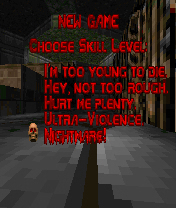
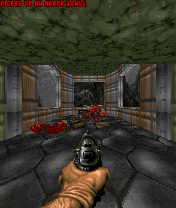
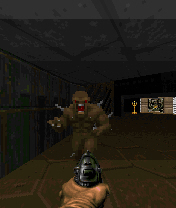
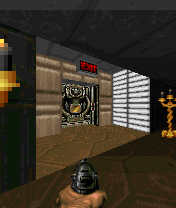
C2Doom is the best Doom engine port for Nokia S60

C2Doom is the best Doom engine port for Nokia S60, S80 and S90 phones. It supports all Id Software WAD files and many unofficial. C2Doom has audio FX , music and even a Bluetooth multiplayer support.
C2Doom is a game engine: You need WAD files to play it. Id Software FTP site is a one location of Doom1.wad that contains a shareware WAD file.

You can find commercial WAD files from the CDROM drive if you own a purchased Doom game for PC. Id Software is still selling Doom, you can buy one, the WAD file that is delivered within game can be used also with S60 and S80 C2Doom.

Download installation packet and install it into your phone. Copy the WAD file into phone or memory card by using memory card reader, PC suite, IR file transfer, bluetooth or any other method you prefer. It can be stored anywhere in the phone; it can be in any file folder or in messaging folder, in Memory card or in internal memory. When you open C2Doom application, it browses trough your phone memory and locates WAD files. Once one is found a confirmation is asked if that WAD file is intented to be used. It is possible to have several WAD files in the phone and by let UI seek another WAD file user can select which one is used.The another WAD file can selected afterwards by choosing "Advanced" "Reset WAD file" from Options menu.


Download

C2Doom for S60
C2Doom for S80