Showing posts sorted by relevance for query bluetooth. Sort by date Show all posts

Wednesday, August 08, 2007

Use your camera phone as a Webcam

WWIGO (pronounced 'vigo') stands for Webcam Wherever I Go. With wwigo, a camera phone can be used as a webcam with PC or Laptop using bluetooth as the transmission medium. It is free.

It consists of two software components.

  • mobile component that resides on phone and streams video to PC.
  • PC component that recieves video.


Features
  • Use Camera Phone as Wirless Webcam
  • Record videos with wwigo PC application.
  • Use along with skype yahoo messenger windows live messenger to do video chat.
  • Live Upload with YouTube grouper to share video.
  • Video Quality better or comparable to off shelf webcam
  • Works with popular Bluetooth Stacks on PC
  • Supported devices Nokia Series 60 v2.0 and Series 60 v3.0 phones
System Requirements.
  • Desktop/Laptop with Windows 2000 or Windows XP SP2
  • Bluetooth enabled with any one of these bluetooth Stack, Microsoft Bluetooth Stack, Widcomm Bluetooth Stack, Toshiba Bluetooth Stack
  • Mobile Phone : Nokia Series 60 v2.0 or v3.0 phone.
Download wwigo (for download you need registration)
Supported devices Nokia: 6600, 6630, 3230, N70, N70music, 6260, 6620, 6670, 6680, 6681, 7610, N73, N80, N71, N93, E70, E61, N95

Thursday, April 10, 2008

MicroSky is a planetarium for mobile phones

MicroSky is a planetarium for mobile phonesMicroSky is a planetarium for mobile/cell devices with Java-support and a connection to the Internet (preferably GPRS or UMTS). It is a very small J2ME-Midlet client/server application which retrieves its starcharts from the skyserver. It can display 2.500.000 stars, 8.000 deep sky objects, the constellations, the planets, local horizon, 1000 current comets, and minor planets. MicroSky provides lots of functions and settings for customizing the MicroSky-Charts to your individual needs.

Microsky v3 extends v2 with even more functions such as a more polished style, Bluetooth-GPS support and a offline mode that reduces the GPRS costs and enables MicroSky for outdoor regions without GPRS reception.

To use MicroSky on your mobile phone you will need a User and Password to login: Register here for free

Free Download:
MicroSky v2 for mobile devices which support at least J2ME MIDP 1.0
MicroSky v3 without Bluetooth-Api with internal bluetooth and offline feature for mobile devices which support J2ME MIDP 2.0 and no Bluetooth-Api (JSR 82)
MicroSky v3 with Bluetooth-Api with additional bluetooth and offline feature for mobile devices which support J2ME MIDP 2.0 and Bluetooth-Api (JSR 82)

Tech Tags: , , , , freeware

Friday, September 19, 2008

Medieval Bluetooth File Transfer (OBEX FTP) for J2ME

Medieval Bluetooth File Transfer (OBEX FTP) for J2MEMedieval Bluetooth File Transfer (OBEX FTP) for J2ME. Use your cell phone to manage files of any OBEX ready device that support File Transfer Profile (FTP), almost on all models today, with a Bluetooth connection. Download, upload, explore, edit, create, delete and rename files and folders on your phone, PDA, palm, notebook, PC, photo viewer, music player and so on; using an easy, fast and intuitive user-interface (GUI). Transfer or delete many files and entire folders at once, with a single keypress, using the multiple selection feature. Explore hidden files, or make your personal data private and/or read-only, using the attributes editor (local filesystem only). Save your favorite devices in the bookmark list, to speed-up the connection procedure. Require: MIDP 2.0 and CLDC 1.1

Free Download: BlueFTP.zip

Wednesday, April 02, 2008

Grizzle Dizzle - Play with your friends over a Bluetooth connection.

Grizzle Dizzle - Play with your friends over a Bluetooth connection.Grizzle Dizzle is a crazy and funny Bluetooth multiplayer game. It is a lot of fun to dizzle the bear, but take care — don't provoke the grizzly too much!

The scenario of the game is set in the woods and your character can either be a sheep, lynx, elk or a squirrel. The game is like an extended version of the classic game "Pong" and your goal is to catch the ball in order to hit the grizzly bear with it. With every hit, the grizzly will get angry and walk a few steps in the direction of the enemy. Once the grizzly reaches the opponent, he will be slapped in the face and you're the winner!

You can also throw rabbits at your opponent. If you manage to hit him, he will be unable to move for a short period of time.

If nobody is around, you can even play Grizzle Dizzle in single player mode in order to train your skills. The opponent will now be controlled by an artificial intelligence.

Free Download: grizzledizzle.zip
(v1.0, English, Java ME, MIDP 2.0)

Tech Tags: , , , , freeware, Java

Wednesday, December 03, 2008

Velox for Java phones

Velox uses a bluetooth or internal gps receiver to get the speed and calculate the travelled distance. velox is optimized for 176x220 and 240x320 pixel displays.

supported features:
  • display speed
  • display total time
  • display travel time (= time with speed > 0)
  • display daily distance
  • display total distance
  • display gps information (number of satellites, height, travelling direction)
  • display average speed
  • record gps tracks
Free Download:
velox2.location.jad and velox2.location.jar
(internal and bluetooth gps (e.g. SonyEricsson W760i) )
velox2.jad and velox2.jar
(bluetooth gps only (e.g. Nokia 6300) )

Saturday, December 09, 2006

S60Zip is a free ZIP file manager for Symbian Series 60 v2.

S60Zip is a free ZIP file manager for Symbian Series 60 v2. It's PKZIP compatible and capable to compress and uncompress archives.
You can e.g. download ZIP file via browser and it's automatically launched to S60Zip. Then you can extract whole content into phone or open single items straight without extracting them.

Features:
- PKZIP compatible.
- Compress/uncompress.
- Open ZIP files from messages (e-mail, Bluetooth), browsers, file explorers etc.
- Send ZIP files via Bluetooth or e-mail.

S60Zip v1.02 supports following Series 60 v2.x phones:
Nokia 3230/6260/6600/6620/6630/6670/7610

Saturday, December 16, 2006

Blockeroo is a free, multiplayer puzzle game for Series 60 mobile phones.

Blockeroo is a free, multiplayer puzzle game for Series 60 mobile phones. It differs from other similar puzzle games in three ways:

  • Blockeroo is primarily a multiplayer game. You can play in single player or practice mode, but the multiplayer game is much more fun.
  • Blockeroo allows you to compete against 3 human opponents over Bluetooth. In fact, the game allows you to select 7 human opponents but due to the limitations of bluetooth you are likely to experience considerable network lag if you challenge more than 3 humans simultaneously.
  • Blockeroo contains some cunning artificial intelligence that allows you to play against bots (algorithms that play Blockeroo without human intervention). Consequently, the multiplayer game can still be enjoyed even if you have no friends with Series 60 devices or indeed no friends.


Download for Nokia Series 60 1.x, 2.0, 2.1
(7650, 3650, 3600, 3620, 3660, N-Gage, N-Gage QD, 6600, 7610, 6260, 6620, 6670, 3230)
blockerooS6067.sis
Download for Nokia Series 60 2.6, 2.8
(6630, 6680, 6681, 6682, N90, N70)
blockerooS608.sis

Saturday, March 08, 2008

Hiisi Suite - HTTP proxy server suite for mobile phone and PC

Hiisi Suite - HTTP proxy server suite for mobile phone and PCHiisi Suite, HTTP proxy server suite for mobile phone and PC, enables MIDP capable mobile phone to connect to LAN via bluetooth (RFCOMM) connection. With these proxies, you can connect mobile phone inside the area where bluetooth radio wave of PC can reach to the internet without paying money for mobile operators. Hiisi Suite supports only HTTP protocol (GET and POST methods).

Free Download: Hiisi1.6.3.zip

Tech Tags: , , , , freeware

Monday, March 12, 2007

ZXBoy - Spectrum Emulator for Series 60

ZXBoy - Spectrum Emulator for Series 60

Emulate the Sinclair Spectrum 48K / 128K on your phone!
Relive those 80's classics!
Features:
  • Plays all 48K and 128K Sinclair Spectrum games
  • Full joystick support - Kempston, Cursor, Sinclair 1 & 2
  • Full Virtual Keyboard support for entering text
  • Support for .sna, .z80 and .tap files
  • Save game at any point
  • Full redefinable key suport - map any key on your phone to any Spectrum key
  • Send game files via IR, Bluetooth or Email
  • Full 48K sound support (Registration required)


Download ZX Boy

ZXBoy is made available completely free of charge.
However, certain features, such as full sound support, widescreen mode and GameBrowser downloads are only enabled once ZXBoy has been registered.

Instructions
After starting ZXBoy, the main title screen will be shown. This allows game files to be selected, played, deleted and sent. To play a game, select 'Play' from the Options menu, and you will automatically be prompted to choose an installed game.

Games can be installed either by using the integrated GameBrowser to install games directly to the phone, or the game files (.z80, .sna, .tap) can be sent to the phone from a PC via IR, Bluetooth or Email. The Nokia PC Suite for the Nokia 3650 can also be used to copy game directly to the '\ZXBoy' folder on the MMC card.

Once the emulator has started, the game will either automatically load (for .z80 & .sna files), or will wait for you to load the game manually (.tap files). To load from the emulated tape, select 'Load From Tape' from the Options menu.

Once a game has started, the emulated joystick can be changed by selecting 'Select Joystick' from the Options menu.

At any time, the Virtual Keyboard can be opened by pressing the Right Softkey. This will make the game screen smaller, and display a virtual keyboard at the bottom of the screen. Use the joystick to select a key, and press the joystick button inwards to select the key.

To configure a button on the phone to automatically press a specified key, hold down the 'ABC' or 'Pen' button on the phone, and press the key you wish to be remapped while the correct keyboard button is highlighted. e.g. If you wish the phone to press 'Enter' whenever the '6' key is pressed, open the Virtual Keyboard, highlight the 'Enter' key, and hold down ABC (or 'Pen') and press '6'. You will be prompted to confirm the key mapping.

To save the current key mappings, open the Options menu, select 'Keys' and select 'Save Keys'. Select 'Load Keys' to reload a saved key mapping, or select 'Reset Keys' to return the keyboard to it's initial state.

48K Sound support is included in the emulator, but it by default not enabled. Select 'Sound' in the Options menu, to toggle the sound support. If ZXBoy is not registered, sound support will be disabled after a few minutes. To continue to use sound support, please register ZXBoy.

The game can be saved at any poing by select 'Save game' from the Options menu. To reload a saved game, exit the emulator and restart with the saved game selected.

128K Sound is not currently supported. This will be added in a future version of ZXBoy.


Elite (Strategy: Management)


Exolon (Arcade: Adventure)


Saboteur (Arcade: Action)


Laser Squad (Tactical combat)


Robin of the Wood (Arcade: Adventure)

Thursday, July 26, 2007

Bemused - control your music collection from your phone

Bemused is a system which allows you to control your music collection from your phone, using Bluetooth. It requires a Series 60 or UIQ phone (e.g. Nokia 7650/3650, or Sony Ericsson P800/P900), and a PC with a Bluetooth adapter.

You can do the following with Bemused:

  • Browse your music collection on your phone
  • Play files in any format supported by Winamp - including MP3s, CDs, MIDIs, etc.
  • Control Winamp versions 2, 3 and 5, Windows Media Player and PowerPoint Viewer
  • Pause, stop, rewind, fast-forward etc.
  • Add songs to the playlist and use shuffle and repeat
  • Browse and select songs in your playlist
  • Download songs to your phone (supported formats: WAV and MIDI; plus MP3 for UIQ)
  • Customise the look of the system with skins

Best of all, Bemused is completely free software, released under the GNU General Public License.

Download

Bemused v1.73 for Series 60 (Nokia 7650 and 3650, Siemens SX-1)
Bemused v1.73 for UIQ (Sony Ericsson P800)

Bemused v1.73 for Series 60, with some skins included
Bemused v1.73 for UIQ, with some skins included

Bemused v1.73 for Series 60, configured for easier control of PowerPoint

Bemused v1.73 for UIQ, configured for easier control of PowerPoint

Tech Tags: , , , , , , ,

Tuesday, November 28, 2006

C2Doom is the best Doom engine port for Nokia S60

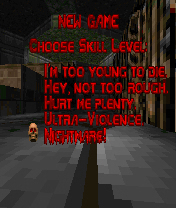
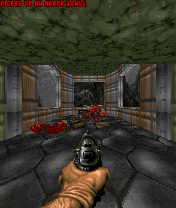
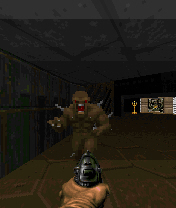
C2Doom is the best Doom engine port for Nokia S60, S80 and S90 phones. It supports all Id Software WAD files and many unofficial. C2Doom has audio FX , music and even a Bluetooth multiplayer support.
C2Doom is a game engine: You need WAD files to play it. Id Software FTP site is a one location of Doom1.wad that contains a shareware WAD file.

You can find commercial WAD files from the CDROM drive if you own a purchased Doom game for PC. Id Software is still selling Doom, you can buy one, the WAD file that is delivered within game can be used also with S60 and S80 C2Doom.

Download installation packet and install it into your phone. Copy the WAD file into phone or memory card by using memory card reader, PC suite, IR file transfer, bluetooth or any other method you prefer. It can be stored anywhere in the phone; it can be in any file folder or in messaging folder, in Memory card or in internal memory. When you open C2Doom application, it browses trough your phone memory and locates WAD files. Once one is found a confirmation is asked if that WAD file is intented to be used. It is possible to have several WAD files in the phone and by let UI seek another WAD file user can select which one is used.The another WAD file can selected afterwards by choosing "Advanced" "Reset WAD file" from Options menu.


Download

C2Doom for S60
C2Doom for S80


Thursday, October 23, 2008

Mobile Trail Explorer - Explore your trails using the mobile phone and GPS unit

Mobile Trail Explorer - Explore your trails using the mobile phone and GPS unitMobile Trail Explorer is an application where user can view and record tracks using the mobile phone and GPS device. Recorded tracks can be exported in KML or GPX format. KML file can be viewed in Google Earth application. Mobile Trail Explorer is mainly targeted for recording biking, hiking etc. trails.

Software runs on Java platform so it is supported by many mobile phones. It is required that mobile phone supports Bluetooth connections (JSR 82) for GPS and File connection (JSR 75) for exporting trails to kml files.

Free Download: TrailExplorer.jar and TrailExplorer.jad

Monday, January 19, 2009

miniTruco: free multiplayer card game for Java-enabled mobile phones

miniTruco: free multiplayer card game for Java-enabled mobile phonesminiTruco is an open-source implementation of Truco Paulista (a very popular card game in Brazil) for Java-enabled mobile phones. It can be played standalone, or in groups of up to four people (using Bluetooth or GPRS).

Free Download: miniTruco.jar and miniTruco.jad

via: rodrigostoledo.com

Saturday, January 20, 2007

MiniBlaster for Series 60, inspired by the old classics Bomberman and DynaBlaster

MiniBlaster is a game for Nokia Series 60 phones (Series 60 1st, 2nd and 3rd edition, e.g. 7650, N-Gage, 6670, 6630, E70 etc.), inspired by the old classics Bomberman and DynaBlaster.

The game is playable in single player mode and in multiplayer mode for two players over bluetooth.

MiniBlaster is localized into English, Swedish and Finnish.

MiniBlaster is a game for Nokia Series 60 phones (Series 60 1st, 2nd and 3rd edition, e.g. 7650, N-Gage, 6670, 6630, E70 etc.), inspired by the old classics Bomberman and DynaBlaster.MiniBlaster is a game for Nokia Series 60 phones (Series 60 1st, 2nd and 3rd edition, e.g. 7650, N-Gage, 6670, 6630, E70 etc.), inspired by the old classics Bomberman and DynaBlaster.

Tips

If the game runs too slowly, try disabling the music or maybe sound altogethger. This can be needed especially in client mode on older phones.

The package for Series 60 3rd edition is self-signed. Many such devices are originally set not to allow installation of such packages. If unsure, open the application manager on the phone, select settings in the menu, set software installation to "all" and online certificate check to off.

MiniBlaster is a game for Nokia Series 60 phones (Series 60 1st, 2nd and 3rd edition, e.g. 7650, N-Gage, 6670, 6630, E70 etc.), inspired by the old classics Bomberman and DynaBlaster.MiniBlaster is a game for Nokia Series 60 phones (Series 60 1st, 2nd and 3rd edition, e.g. 7650, N-Gage, 6670, 6630, E70 etc.), inspired by the old classics Bomberman and DynaBlaster.

The game is distributed as freeware. Download version 1.01 here:

Sunday, July 26, 2009

DeviceInfo widget for Nokia 5800 XpressMusic and the N97

DeviceInfo widget for Nokia 5800 XpressMusic and the N97. Widget displays more or less essential data about the device it’s running on. With this widget you can display: Graphical display for storage and RAM space, Graphical display for battery status, IMEI code, WLAN Mac Address, Phone model, Firmware version, Manufacturer, Product type, Bluetooth status, Vibration status, Autolock status, Autolock timeout and Screensaver timeout.

Free Download: here

via: rodrigostoledo.com

Thursday, December 21, 2006

QReader The High Quality Book Reader for Smart Mobiles

QReader for all kind of Symbian OS based smartphones.
QReader allows to read texts on smartphones (electronic books - eBooks). It is the high quality book reader, easy and powerful. Freeware.

  • QReader features Plain text (.txt), Palm DOC (.prc and .pdb), FB2, UMD and TCR files reading
  • Incoming document recognizing
  • Screen rotation (90, 180 and 270 degrees)
  • 5 different fonts
  • Folders support
  • Hi-Quality Bookmarks
  • Auto-scrolling
  • Text Formatting
  • Hyphenation support
  • Search (case-sensitive and caseless)
  • Percentage indication of the text that has been read
  • Easy access to clock
  • Adjustable colors
  • Adjustable document locations
  • Send any text file via Ir, Bluetooth or Email
  • Function of backlight switch off while reading can be turned off
  • 55 different character's codepages + 3 Unicode


Version for S60: qreader.zip
Version for S60 Nokia 6600 and newer: qreader6600.zip
Version for S60 Nokia N90 only: qreadern90.zip
Version for S60 3rd Edition: QReader_S603rd.SIS

Wednesday, May 28, 2008

ExtGPS for Nokia N95, E90, 6110 Navigator

ExtGPS for Nokia N95, E90, 6110 NavigatorSymarctic ExtGPS allows you to share phone's built-in GPS module to laptop via Bluetooth. It is mainly targeted for Nokia N95, E90, 6110 Navigator handsets, allowing you to use existing, more sophisticated GIS applications. Free for personal, non-commercial use.

Free Download: extgps.jar

Sunday, January 07, 2007

CHEEZ (S60 & UIQ)

Have you ever felt bad about eating cheese? Felt it go straight to your middle? Well, not any more!! Now you can eat cheese to your heart's content, with OonDir the Mouse!! There is unlimited cheese to be had, spread out over three world of 5 mazes each. But beware, the guardians of the maze are a zealous lot, and they will hamper your progress at every step!! Each world has two distinct types of enemies for you to tackle, and they increase in number as you progress. Two minutes are all you have in each maze, to gobble up cheese and vanquish enemies. When time is about to run out, a magical warp will open that will take you to the next maze. Ignore it at your own peril!! Ofcourse, if you think these enemies are too pedestrian for you, then you can always challenge a friend to see who is the better mouse, and who will come away the winner!! All this and more, in CHEEZ!!

Boomslang Studios
Platform: Symbian OS- Series 60 and UIQ
Devices: Series 60: Nokia 3230, Nokia 3600, Nokia 3620, Nokia 3650, Nokia 3660, Nokia 6260, Nokia 6600, Nokia 6620, Nokia 6630, Nokia 6670, Nokia 7610, Nokia 7650, Nokia N-Gage, Nokia N-Gage QD, Panasonic X700, Panasonic X800, Sendo X, Siemens SX1
UIQ: Sony Ericsson P800
Sony Ericsson P900
Sony Ericsson P910
Players: 1-2 via Bluetooth over both Series 60 and UIQ devices.
Memory Requirements: 600 KB approx. (S60)
cheez_v1_0.sis

Tuesday, May 29, 2007

BlueXone 0.4.40 (Beta) for Series 60

BluXone (Blu-Zone) is a bluetooth application for your Series 60 based Mobile Phones. With BluXone, you may now use your mobile phone to:
  • Share favourite songs, videos, pictures and ring tones with others
  • Creat personal profiles for others to view- share your likes, dislikes, thoughts, actions, emotions
  • View profiles of others around you and chat with them
  • Make announcements - all users in your range will get to know what you have to say
  • Free to download and free to use!!
Download BluXone0.4.40.SIS

via: Panic Code

Sunday, August 30, 2009

Best Screen Snap for Symbian S60 5th Edition

Best Screen Snap for Symbian S60 5th Edition Best Screen Snap is a freeware application that allows you to capture screenshots on your smartphone and save them to a file or send them to friends or to your desktop computer.

Features include:

  • Configurable hotkey to make a screenshot.
  • Sound notification after taking screenshot
  • Supports true colour BMP, 256 colour BMP, and JPG
  • Ability to send image via Bluetooth, Infrared, MMS or email.
  • Auto-generated image name.
  • Ability to set up where to save screenshots.
Free Download: best_screensnap_s60_5_v_1_00.sisx