Showing posts sorted by relevance for query PC Suite. Sort by date Show all posts

Tuesday, September 18, 2007

Nokia PC Suite Cleaner

Nokia PC Suite Cleaner helps you remove any unnecessary Nokia PC Suite-related files and registry data left on your PC after uninstalling Nokia PC Suite.
Important: Before using Nokia PC Suite Cleaner, make a backup copy of all your personal content that is stored in the same folder as Nokia PC Suite.
Nokia PC Suite Cleaner

With Nokia PC Suite Cleaner, you can:

  • Remove old or unnecessary Nokia PC Suite-related files from your PC to make way for a new installation
  • Clean both Nokia PC Suite files and registry data
  • Leave other content on your PC intact
  • Analyze your PC for troubleshooting
Download PC Suite Cleaner

Friday, October 19, 2007

Nokia Device Status

Nokia Device StatusNokia Device Status is a self-diagnosis tool that allows you to collect detailed system information both from your PC and your S60 device. Your current device configuration and phone settings are presented in a detailed summary, which you can use to determine the exact cause, if you run into problems.
With Nokia Device Status, you can save all the collected information to a file, and you can send the file to customer care services for closer inspection and analysis.
Collected data from your PC includes:
  • Operating system
  • Language of the operating system vs. that of Nokia PC Suite
  • Version of Nokia PC Suite currently installed on your PC
  • Drivers required to connect your phone to your PC
  • Local time zone
  • Log files created by Nokia PC Suite
  • Regional and language settings
Collected data from your phone includes:
  • Device model
  • IMEI code of the phone
  • Device memory and any available memory card
  • Profiles and themes used on the phone
  • Locations used to store data on the phone
After installation, you can access the application both from your phone and from your PC.

Installation
Before installation, please remove possible earlier versions from your PC and your phone. Also, make sure that you have Nokia PC Suite (6.84 or newer) or Nokia Nseries PC Suite installed on your PC.

Download Free: NokiaDeviceStatusInstaller-1.1.2.exe

Tech Tags: , , , , symbian, freeware

Sunday, September 16, 2007

Nokia Nseries PC Suite 2.0

Nokia Nseries PC Suite 2.0Nokia Nseries PC Suite is a collection of Nokia Nseries and third-party PC applications that seamlessly tie together your Nokia Nseries multimedia device and your PC. Use the applications to transfer photos or videos from your device to your PC, to copy your favorite music from your PC to your device or to synchronize your calendar and contact information.


Download: NNPCS_2.0.155_US_beta.zip

update: 17/sep/07
Temporarily removed from Beta Labs. Coming soon.
We have removed Nokia Nseries PC Suite 2.0 from Nokia Beta Labs, as the software proved to be not mature enough for public beta testing. We are grateful for everybody who sent us feedback, and deeply sorry for inconvenience.

Nokia Beta Labs team


via: Tommi's S60 applications blog

Sunday, August 12, 2007

Nokia Video Manager - Additional applications for Nokia PC Suite

Nokia Video Manager offers you a simple solution for transferring your videos from your phone to your PC or vice versa – smoothly, efficiently, and with complete ease.

Web sites affiliated to Nokia Video Manager can be recognized by a "Nokia Video" download button. By clicking this button, you can download videos straight into Nokia Video Manager and, if you wish, the files can be automatically transfered to your connected mobile phone.


With Nokia Video Manager, you can:

  • Manage and transfer your video clips between your phone and PC
  • Save space on your phone by converting videos into formats optimized for mobile phones
  • Forget the extra effort: file conversion takes place automatically during video transfer
  • Rely on assistance when you need it: Nokia Video Manager guides you every step of the way
support: Nokia N76, Nokia N77, Nokia N92, Nokia N93, Nokia N93i, Nokia N95, Nokia 5700 XpressMusic, Nokia 6110 Navigator, Nokia 6120 classic, Nokia 6290, Nokia 6500 slide

Download Nokia Video Manager

Note: Before you download the software, make sure that you have Nokia PC Suite version 6.83 or later installed on your PC. Nokia Video Manager is an add-on application to be used together with Nokia PC Suite.


Saturday, March 08, 2008

Hiisi Suite - HTTP proxy server suite for mobile phone and PC

Hiisi Suite - HTTP proxy server suite for mobile phone and PCHiisi Suite, HTTP proxy server suite for mobile phone and PC, enables MIDP capable mobile phone to connect to LAN via bluetooth (RFCOMM) connection. With these proxies, you can connect mobile phone inside the area where bluetooth radio wave of PC can reach to the internet without paying money for mobile operators. Hiisi Suite supports only HTTP protocol (GET and POST methods).

Free Download: Hiisi1.6.3.zip

Tech Tags: , , , , freeware

Thursday, February 21, 2008

Nokia Text Messenger

Nokia Text Messenger

The application fetches you the latest text messages from your connected Nokia device. Naturally, the latest messages are displayed first.

A gadget for Windows Vista, Nokia Text Messenger comes in two different sizes. If you want to place the application in your Windows Sidebar, you can opt for Nokia Text Messenger in a smaller size. The sidebar gadget lets you view three text messages at a time.

If you want Nokia Text Messenger in a slightly larger size, you can have it floating freely on your desktop. In this case, text messages can be browsed in groups of five.

Free Download: Text_Messenger.msi
(System requirements: Microsoft Windows Vista and before you download Nokia Text Messenger, make sure that you have Nokia PC Suite version 6.85 or later installed)

Monday, March 12, 2007

ZXBoy - Spectrum Emulator for Series 60

ZXBoy - Spectrum Emulator for Series 60

Emulate the Sinclair Spectrum 48K / 128K on your phone!
Relive those 80's classics!
Features:
  • Plays all 48K and 128K Sinclair Spectrum games
  • Full joystick support - Kempston, Cursor, Sinclair 1 & 2
  • Full Virtual Keyboard support for entering text
  • Support for .sna, .z80 and .tap files
  • Save game at any point
  • Full redefinable key suport - map any key on your phone to any Spectrum key
  • Send game files via IR, Bluetooth or Email
  • Full 48K sound support (Registration required)


Download ZX Boy

ZXBoy is made available completely free of charge.
However, certain features, such as full sound support, widescreen mode and GameBrowser downloads are only enabled once ZXBoy has been registered.

Instructions
After starting ZXBoy, the main title screen will be shown. This allows game files to be selected, played, deleted and sent. To play a game, select 'Play' from the Options menu, and you will automatically be prompted to choose an installed game.

Games can be installed either by using the integrated GameBrowser to install games directly to the phone, or the game files (.z80, .sna, .tap) can be sent to the phone from a PC via IR, Bluetooth or Email. The Nokia PC Suite for the Nokia 3650 can also be used to copy game directly to the '\ZXBoy' folder on the MMC card.

Once the emulator has started, the game will either automatically load (for .z80 & .sna files), or will wait for you to load the game manually (.tap files). To load from the emulated tape, select 'Load From Tape' from the Options menu.

Once a game has started, the emulated joystick can be changed by selecting 'Select Joystick' from the Options menu.

At any time, the Virtual Keyboard can be opened by pressing the Right Softkey. This will make the game screen smaller, and display a virtual keyboard at the bottom of the screen. Use the joystick to select a key, and press the joystick button inwards to select the key.

To configure a button on the phone to automatically press a specified key, hold down the 'ABC' or 'Pen' button on the phone, and press the key you wish to be remapped while the correct keyboard button is highlighted. e.g. If you wish the phone to press 'Enter' whenever the '6' key is pressed, open the Virtual Keyboard, highlight the 'Enter' key, and hold down ABC (or 'Pen') and press '6'. You will be prompted to confirm the key mapping.

To save the current key mappings, open the Options menu, select 'Keys' and select 'Save Keys'. Select 'Load Keys' to reload a saved key mapping, or select 'Reset Keys' to return the keyboard to it's initial state.

48K Sound support is included in the emulator, but it by default not enabled. Select 'Sound' in the Options menu, to toggle the sound support. If ZXBoy is not registered, sound support will be disabled after a few minutes. To continue to use sound support, please register ZXBoy.

The game can be saved at any poing by select 'Save game' from the Options menu. To reload a saved game, exit the emulator and restart with the saved game selected.

128K Sound is not currently supported. This will be added in a future version of ZXBoy.


Elite (Strategy: Management)


Exolon (Arcade: Adventure)


Saboteur (Arcade: Action)


Laser Squad (Tactical combat)


Robin of the Wood (Arcade: Adventure)

Tuesday, November 28, 2006

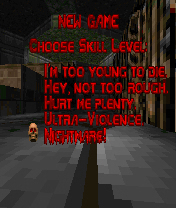
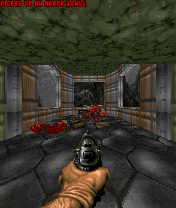
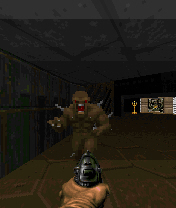
C2Doom is the best Doom engine port for Nokia S60

C2Doom is the best Doom engine port for Nokia S60, S80 and S90 phones. It supports all Id Software WAD files and many unofficial. C2Doom has audio FX , music and even a Bluetooth multiplayer support.
C2Doom is a game engine: You need WAD files to play it. Id Software FTP site is a one location of Doom1.wad that contains a shareware WAD file.

You can find commercial WAD files from the CDROM drive if you own a purchased Doom game for PC. Id Software is still selling Doom, you can buy one, the WAD file that is delivered within game can be used also with S60 and S80 C2Doom.

Download installation packet and install it into your phone. Copy the WAD file into phone or memory card by using memory card reader, PC suite, IR file transfer, bluetooth or any other method you prefer. It can be stored anywhere in the phone; it can be in any file folder or in messaging folder, in Memory card or in internal memory. When you open C2Doom application, it browses trough your phone memory and locates WAD files. Once one is found a confirmation is asked if that WAD file is intented to be used. It is possible to have several WAD files in the phone and by let UI seek another WAD file user can select which one is used.The another WAD file can selected afterwards by choosing "Advanced" "Reset WAD file" from Options menu.


Download

C2Doom for S60
C2Doom for S80


Friday, September 28, 2007

Quake 1 for Nokia Series 60 1st and 2nd editons

Quake 1 for Nokia Series 60 1st and 2nd editonsQuakeS60 is the Quake I port for Nokia Series 60 (1st and 2nd editons) and compatible smartphones with high quality renderer 176*208 pixels.

Installation instuctions:
  1. Unzip quakes60-pa0065.zip
  2. Copy all files from quakes60-pa0065.zip with Nokia PC Suite into memory card of your phone.
  3. Create in the root of your memorycard folder "id1"
  4. Copy Quake I file "pak0.pak" into this folder. (You can get it from original QUAKE I CD)
  5. Launch any FileManager software on your phone.
  6. Find quakes60.exe and Launch
  7. Enjoy.
Tested with Nokia N72 smartphone.

Free Download: QuakeS60 HQ 0.65 (Beta release) for All platforms

Tuesday, September 23, 2008

Nokia Photos 1.5

Nokia Photos 1.5With Nokia Photos, you can transfer your photos and videos to your PC, organize and geotag them, and share them on Ovi. Also, you can load your phone with photos and videos from your PC, converted into compatible format.

Nokia Photos 1.5 is a major upgrade to the Nokia Photos PC application that has been available as a standalone download at www.nokia.com/photos or as part of the Ovi Suite at http://ovi.com/services/support/nokiaovisuite.

What’s new:
  • Better integration with Share on Ovi
  • Maps view and geotagging: your photos and videos on the map
  • More supported devices
  • Import pictures from also from your digital camera
  • Ovi look and feel
Free Download: NokiaPhotos_1_5_200_en_gb.exe

Saturday, April 05, 2008

CalSyncS60 0.1.4 BETA for Nokia S60 3rd edition phones

CalSyncS60 0.1.4 BETA for Nokia S60 3rd edition phonesCalSyncS60 provides two-way synchronization between Nokia S60 phone and Google Calendar. For example, when you add appointment to Google Calendar it will appear also in your phone calendar.
Just start the application and hit sync.

Note: this is a very early stage beta version and some calendar
features are missing e.g. recurring events. Also there may be issues regarding event synchronization etc. So it is recommended that you backup your calendar with PC Suite beforehand.

Free Download: calsync_0_1_4b.sisx

Tech Tags: , , , , freeware

Wednesday, November 29, 2006

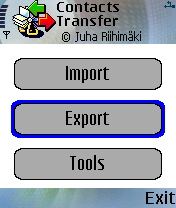
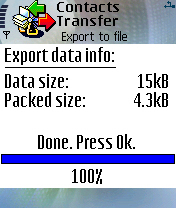
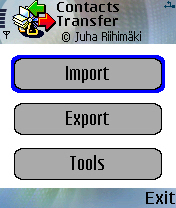
Contacts Transfer for Nokia S60

Contacts Transfer for Nokia S60.
Have you ever tried to copy the contacts database from one S60 based phone to another? Perhaps using a PC suite or SyncML? Perhaps you have noticed that something was missing in the end? No problem, with the Contacts Transfer application you can copy the entire contents of the contacts database includig thumbnail images and caller groups from one phone to another via bluetooth, infra-red or a memory card.


Download install package for

* version 2.00, intended for devices running S60 1st or 2nd Edition
* version 3.00, intended for devices running S60 3rd Edition